

Convert Logo for BAi Machines: Step-by-Step Process
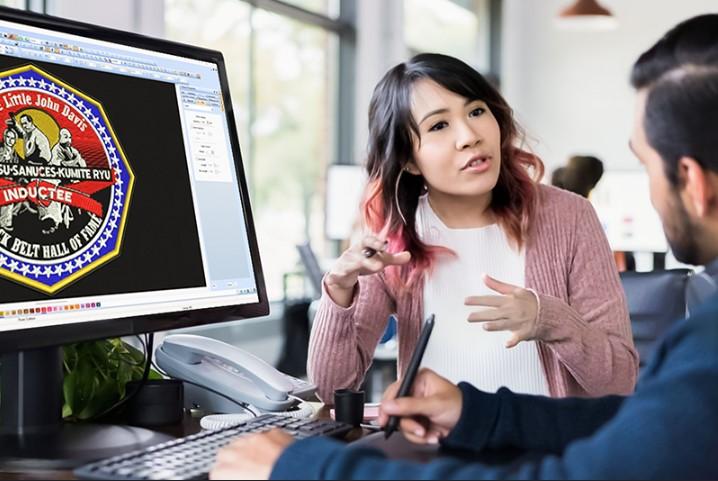
BAi embroidery machines are known for their speed, precision, and reliability, but even the best machines depend on the quality of the embroidery file they run. That’s why learning how to convert logo for BAi Machines correctly is essential for achieving clean, professional stitch results. A proper conversion ensures your logo stitches smoothly, maintains its shape, and runs efficiently on BAi machines without unnecessary thread breaks or design distortion.
Understanding BAi Embroidery Machines and File Requirements
BAi embroidery machines are widely used in commercial embroidery setups due to their advanced features and high production capacity. However, like all embroidery machines, BAi systems require embroidery-specific files rather than standard image formats.
Logos are usually created as JPG, PNG, or vector files, which embroidery machines cannot read directly. Converting these logos into stitch-based embroidery files is a critical step for successful production.
Why Logo Conversion Is Important for BAi Machines
BAi machines follow stitch instructions exactly as programmed. If the logo file is poorly converted, the machine will faithfully reproduce those errors in thread.
Proper logo conversion ensures:
- Smooth stitch flow
- Accurate logo size and proportions
- Clean outlines and fills
- Reduced thread breaks
- Faster and more efficient production
Professional conversion transforms visual artwork into machine-readable embroidery instructions.
Difference Between Image Conversion and Embroidery Digitizing
Many people assume converting a logo for BAi machines means simply changing the file format. In reality, embroidery digitizing is a manual and technical process.
Image conversion only changes how a file looks, while digitizing defines how a design stitches. True logo conversion involves planning stitch types, directions, densities, and sequencing for optimal embroidery results.
Step 1: Reviewing the Logo Artwork
The process begins with a detailed review of the logo. Digitizers evaluate:
- Design complexity
- Number of colors
- Text size and readability
- Fine details
If the logo contains very small elements that won’t stitch cleanly, adjustments are recommended to maintain quality without losing the brand’s identity.
Step 2: Selecting the Right Stitch Types
Different parts of a logo require different stitch types. Professional digitizers choose:
- Satin stitches for text and borders
- Fill stitches for larger areas
- Running stitches for small details
Choosing the correct stitch type ensures durability, clarity, and a professional finish.
Step 3: Setting Stitch Direction and Flow
Stitch direction affects how the logo looks when stitched. Proper stitch flow enhances depth and ensures even light reflection across the design.
Poor stitch direction can cause distortion or uneven textures, which is why this step is carefully planned.
Step 4: Adjusting Stitch Density
Stitch density controls how tight the embroidery is. Too much density can cause thread breaks and stiffness, while too little density results in gaps.
Density is adjusted based on:
- Logo size
- Fabric type
- Thread thickness
Balanced density ensures clean and flexible embroidery.
Step 5: Adding Underlay Stitches
Underlay stitches form the foundation of embroidery. They stabilize the fabric, prevent puckering, and support top stitches.
Different fabrics require different underlay techniques, which are applied during the digitizing process.
Step 6: Optimizing for Fabric Type
BAi machines are used on a wide range of fabrics, including cotton, polyester, denim, caps, and stretch materials. Each fabric reacts differently during embroidery.
Proper optimization ensures the logo stitches cleanly without distortion, regardless of the material.
Step 7: Preparing the File for BAi Machines
The digitized logo is then prepared according to BAi machine specifications. This includes hoop size, stitch limits, and efficient stitch sequencing.
Optimized files result in smoother machine operation, fewer trims, and reduced wear on the machine.
Step 8: Testing and Quality Control
Before final delivery, the embroidery file is tested to ensure it runs correctly on BAi machines. Testing helps identify issues such as misalignment, gaps, or excessive trims.
Quality control ensures the final file is production-ready and delivers consistent results.
Benefits of Professional Logo Conversion for BAi Machines
Using professional services to convert logos for BAi machines offers several advantages:
- High-quality stitch output
- Reduced machine errors
- Consistent embroidery results
- Faster production times
- Long-lasting design quality
These benefits make professional conversion a valuable investment for embroidery businesses.
Common Problems with Poor Logo Conversion
Improperly converted logos can lead to:
- Thread breaks
- Puckering
- Distorted shapes
- Excessive trims and jumps
Professional digitizing eliminates these issues by following embroidery best practices.
Who Needs Logo Conversion for BAi Machines?
This service is ideal for:
- Commercial embroidery businesses
- Apparel brands
- Promotional product suppliers
- Uniform manufacturers
- Home users with BAi machines
Anyone using BAi embroidery machines benefits from accurate logo conversion.
How Clean Files Improve Production Efficiency
Clean, well-digitized files reduce machine downtime and improve overall efficiency. Optimized stitch paths allow BAi machines to operate smoothly, increasing productivity and profitability.
Consistent quality also leads to higher customer satisfaction.
Final Thoughts
Converting a logo for BAi machines is a detailed, step-by-step process that directly impacts embroidery quality. From artwork review and stitch planning to testing and optimization, each stage plays a vital role in achieving clean, professional results.
For reliable, accurate, and professional logo conversion services designed specifically for BAi embroidery machines, Digitizing Buddy delivers expert digitizing solutions you can trust.

 Arabic
 French
 Spanish
 Portuguese
 Deutsch
 Turkish
 Dutch
Dutch
 Italiano
 Russian
 Romaian
 Portuguese (Brazil)
 Greek
Greek